
Htaccess
.htaccess settings are available for all Patchstack paid plan users.
Protection is available for WordPress sites only.
Hardening rules are extra firewall settings, that can be tweaked according to your needs. To manage your site’s .htaccess settings, navigate to Sites > yourdomain.com > Hardening > .htaccess in Patchstack App.
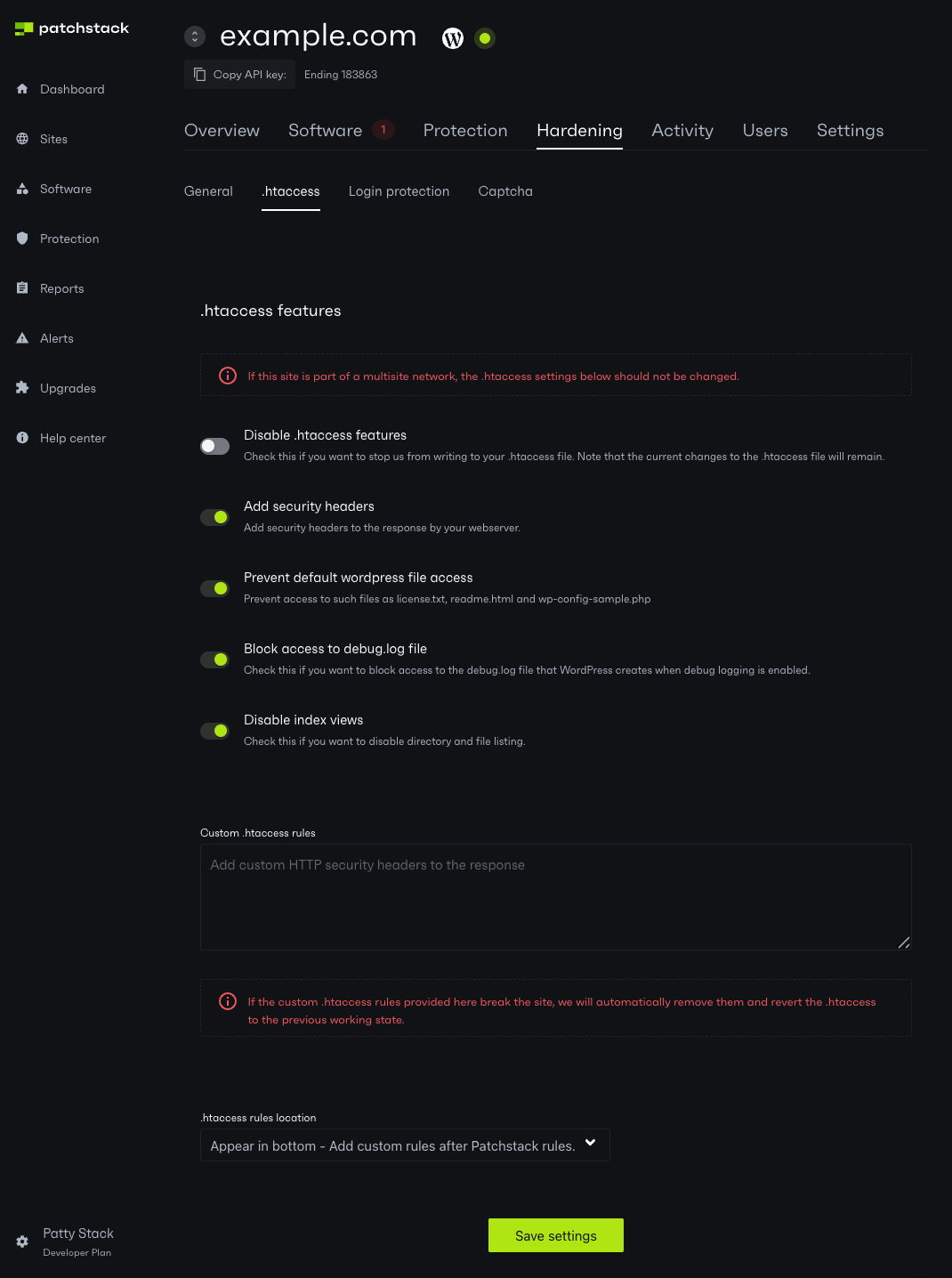
.htaccess features
Section titled “.htaccess features”On the .htaccess features block you can modify some of your site settings and modify the .htaccess file.
Settings you can manage on this page:
- Add security headers - toggle this, and Patchstack adds a standard set of security headers to your site. Depending on your environment these may be written to your .htaccess file or injected into the HTTP response, so they will not always appear in .htaccess. See How hardening and security headers work for details.
- Prevent default WordPress file access - this feature blocks access to such files as license.txt, readme.html and wp-config-sample.php files
- Block access to debug.log file - check this if you want to block access to debug.log file that WordPress creates when debug logging is enabled
- Disable index views - disables directory indexing and file listings
WordPress in a subdirectory and Bedrock
Section titled “WordPress in a subdirectory and Bedrock”Hardening rules use the WordPress front-controller directory. In a Bedrock layout such as web/index.php with core in web/wp, this is web/.htaccess. Core and content paths in the API rules are adapted to the detected layout. These are Apache-compatible rules; nginx needs server configuration supplied by your host. For another layout, see the patchstack_htaccess_dir example.
Upgrading an existing installation does not move or rewrite its hardening block solely to adopt the new layout. An unchanged rule refresh leaves it in place. A relevant settings or API-rule change can trigger the update. On the first write to the detected location, Patchstack also cleans up its old managed hardening block in the core directory.
Turning the last hardening option off removes the API hardening rules while preserving custom rules. If writing fails, removal remains pending for a later refresh. An API response with an explicit empty rules string also requests removal; a missing or malformed response leaves existing rules in place.
Disable .htaccess features and PS_DISABLE_HTACCESS prevent these writes. They do not remove rules already installed, and runtime security headers have their own setting. On multisite, rule selection is network-scoped and the files are shared.
This layout handling concerns hardening rules. The auto-prepend firewall has a separate shared installer.
Writing custom .htaccess rules
Section titled “Writing custom .htaccess rules”In case you wish to write custom .htaccess rules to the file, you can insert your rules to Custom .htaccess rules textfield.
Additionally, you can select if your written rules appear before or after the Patchstack rules in the .htaccess file.
Patchstack checks the site after writing and attempts to restore the previous file if the change causes a server error. Keep a backup and recovery access when editing custom server rules; the check cannot detect every routing or application problem.
Having done all your changes, click on Save settings at the bottom of this section.